Udyam Certificate Download 2026: Print, Verify & Update MSME Certificate

- What is the Udyam Certificate?
- How to Download & Print the Udyam Certificate (Step-by-Step)
- Udyam Certificate Download on Mobile
- Forgot Your Udyam Registration Number?
- How to Verify a Udyam Registration Number
- How to Update Your Udyam Certificate Details
- Micro, Small or Medium? Current Classification (from April 2025)
- Common Problems & How to Fix Them
- Beware of Fake "Udyam" Websites
- Frequently Asked Questions
- Need Help? EasyKagaz Will Do It for You
Your bank is asking for the Udyam certificate, a client wants it before releasing payment, or you need it for a tender — but you can't find the PDF. Don't worry. Your Udyam Registration never expires, and you can download and print the certificate again anytime, free, from the official portal.
This guide shows you exactly how to download, print, verify and update your Udyam (MSME) certificate in 2026 — including what to do if you forgot your Udyam number.
Quick answer: Go to udyamregistration.gov.in → Print / Verify → Print Udyam Certificate → enter your Udyam Registration Number and registered mobile/email → verify the OTP → click Print. Save it as PDF.
What is the Udyam Certificate?
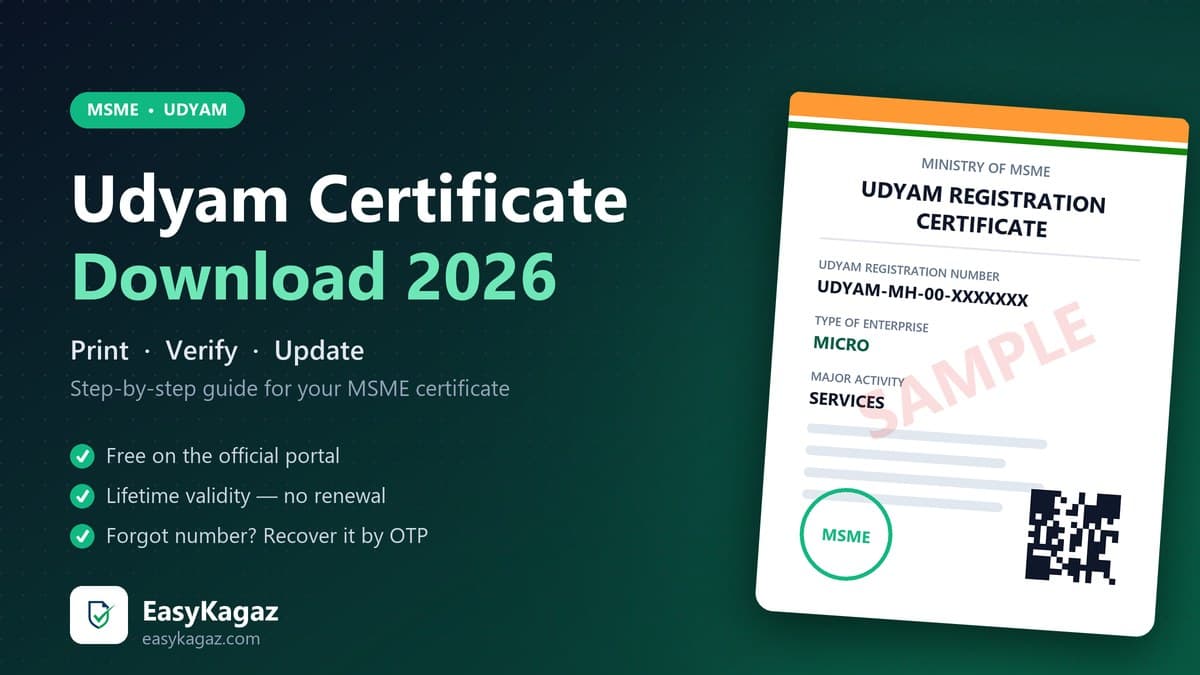
The Udyam Registration Certificate is the official proof that your business is registered as a Micro, Small or Medium Enterprise (MSME) with the Ministry of MSME, Government of India. It has a unique number in this format:
UDYAM-XX-00-0000000 (XX = state code, e.g. UDYAM-MH-26-… for Maharashtra)
The certificate shows:
- Udyam Registration Number and date of registration
- Name of the enterprise and owner
- Type of enterprise — Micro, Small or Medium
- Major activity — Manufacturing, Services or Trading
- NIC codes of your business activities
- Official address, date of incorporation and a QR code for verification
It is needed for collateral-free loans, priority-sector lending, government tenders, subsidies and protection against delayed payments under Section 43B(h). Read more in our guide to Udyam benefits for business loans.
How to Download & Print the Udyam Certificate (Step-by-Step)
- Open the official website udyamregistration.gov.in (only this website — it is free).
- In the top menu, click Print / Verify → Print Udyam Certificate.
- Enter your Udyam Registration Number (UDYAM-XX-00-0000000).
- Enter the mobile number or email you gave during registration and choose where to receive the OTP.
- Click Validate & Generate OTP, enter the OTP and click Login.
- Click Print Udyam Certificate. The certificate opens on screen.
- Press Ctrl + P (or use the print option on your phone) and choose Save as PDF to keep a digital copy.
✅ Tip: Save the PDF in your email or Google Drive, and print 2–3 colour copies. Banks usually accept a self-attested printout.
Udyam Certificate Download on Mobile
The same steps work on any phone browser (Chrome is best). If the page looks cut off, turn on "Desktop site" from the browser menu, then print and choose Save as PDF.
Forgot Your Udyam Registration Number?
This is the most common problem. You can recover it yourself:
- On udyamregistration.gov.in, open Print / Verify → Forgot Udyam / UAM No.
- Choose to receive it on your registered mobile number or email.
- Verify the OTP — your Udyam Registration Number is shown or sent to you.
Other quick ways to find it: search your email inbox for "Udyam Registration", check the registration SMS, or look at old loan/GST documents where you may have quoted it.
⚠️ If the registered mobile number or email no longer works, the OTP will not reach you. In that case, the details have to be corrected through the portal's update process using the owner's Aadhaar — this is where most people get stuck. EasyKagaz can do this for you.
How to Verify a Udyam Registration Number
Want to check if a supplier or client is genuinely MSME-registered (for example, to follow the 45-day payment rule)?
- Go to udyamregistration.gov.in → Print / Verify → Verify Udyam Registration Number.
- Enter the Udyam number and the captcha, then click Verify.
- The portal shows the enterprise name, type, major activity and registration date.
You can also scan the QR code printed on the certificate to verify it.
How to Update Your Udyam Certificate Details
Moved your shop, added a new activity or changed your bank account? Update it so your certificate stays correct:
- On the portal, open Update Details → Update / Cancel Udyam Registration.
- Log in with your Udyam number and OTP.
- Edit details such as address, mobile/email, bank account, NIC codes, number of employees and plant/unit locations.
- Submit, then print the updated certificate using the steps above.
What you cannot change: the PAN and Aadhaar linked to the registration. Investment and turnover are taken automatically from your ITR and GST data, so your category updates by itself every year from 1 April.
Micro, Small or Medium? Current Classification (from April 2025)
Your enterprise type on the certificate depends on both investment in plant & machinery/equipment and annual turnover:
- Micro — investment up to ₹2.5 crore and turnover up to ₹10 crore
- Small — investment up to ₹25 crore and turnover up to ₹100 crore
- Medium — investment up to ₹125 crore and turnover up to ₹500 crore
If your certificate shows the wrong category, the usual cause is a mismatch in ITR/GST data — check that your latest returns are filed correctly.
Common Problems & How to Fix Them
- OTP not received — the mobile/email on your registration has changed. Use the update process, or get help.
- "Invalid Udyam number" — check the format (UDYAM-XX-00-0000000) and that there are no spaces. If you have an old Udyog Aadhaar (UAM) number, note that old UAM certificates are no longer valid — you need a fresh Udyam Registration. See our complete Udyam registration guide.
- Wrong business name or address on the certificate — update it from Update / Cancel Udyam Registration.
- Certificate looks blank or cut off when printing — use Chrome, turn on "Desktop site" on mobile, and set the print layout to Portrait, A4.
- Bank asking for a "new" certificate — simply print it again; the same number stays valid for life.
Beware of Fake "Udyam" Websites
Many look-alike websites charge ₹1,500 to ₹5,000 just to "download" or "renew" your certificate, and some even collect your Aadhaar data. Remember:
- Udyam Registration and certificate printing are free on the official portal.
- The certificate has lifetime validity — there is no renewal fee.
- The only official website is udyamregistration.gov.in.
Frequently Asked Questions
Q: Is Udyam certificate download free?
A: Yes. Downloading and printing your Udyam certificate on the official portal udyamregistration.gov.in is completely free.
Q: Does the Udyam certificate expire or need renewal?
A: No. The Udyam Registration Certificate has lifetime validity and does not need renewal. Only keep your details and ITR/GST filings up to date.
Q: How can I download my Udyam certificate without the registration number?
A: Use the "Forgot Udyam / UAM No." option on the portal to recover the number using OTP on your registered mobile or email, then print the certificate.
Q: Can I download the Udyam certificate using my Aadhaar number?
A: The print option asks for your Udyam Registration Number plus OTP on the registered mobile or email. If you don't know the number, recover it first with "Forgot Udyam / UAM No."
Q: My registered mobile number is closed. How do I get the OTP?
A: You need to update the contact details on your Udyam registration through the official update process. EasyKagaz can help you complete this and download the updated certificate.
Q: Is a printout of the Udyam certificate valid for bank loans?
A: Yes. A printout or PDF downloaded from the official portal is valid. Banks can verify it using the Udyam number or the QR code on the certificate.
Need Help? EasyKagaz Will Do It for You
Stuck with OTP, a lost Udyam number, a closed mobile number or wrong details on the certificate? Our team handles it for you — online, with WhatsApp updates.
Udyam certificate print / update — just ₹99. Share your details, and we'll send your updated Udyam certificate PDF on WhatsApp.
👉 Get Your Udyam Certificate Printed / Updated via EasyKagaz
Don't have Udyam Registration yet? Register your business here.
EasyKagaz is a private assistance service and is not affiliated with the Ministry of MSME. You can always do these steps yourself for free on the official portal.
Need Help with Udyam Print Update?
Don't let complex paperwork slow you down. Our experts handle everything from application to delivery.

Need Expert Assistance?
Fill out the form below and our documentation experts will guide you.